

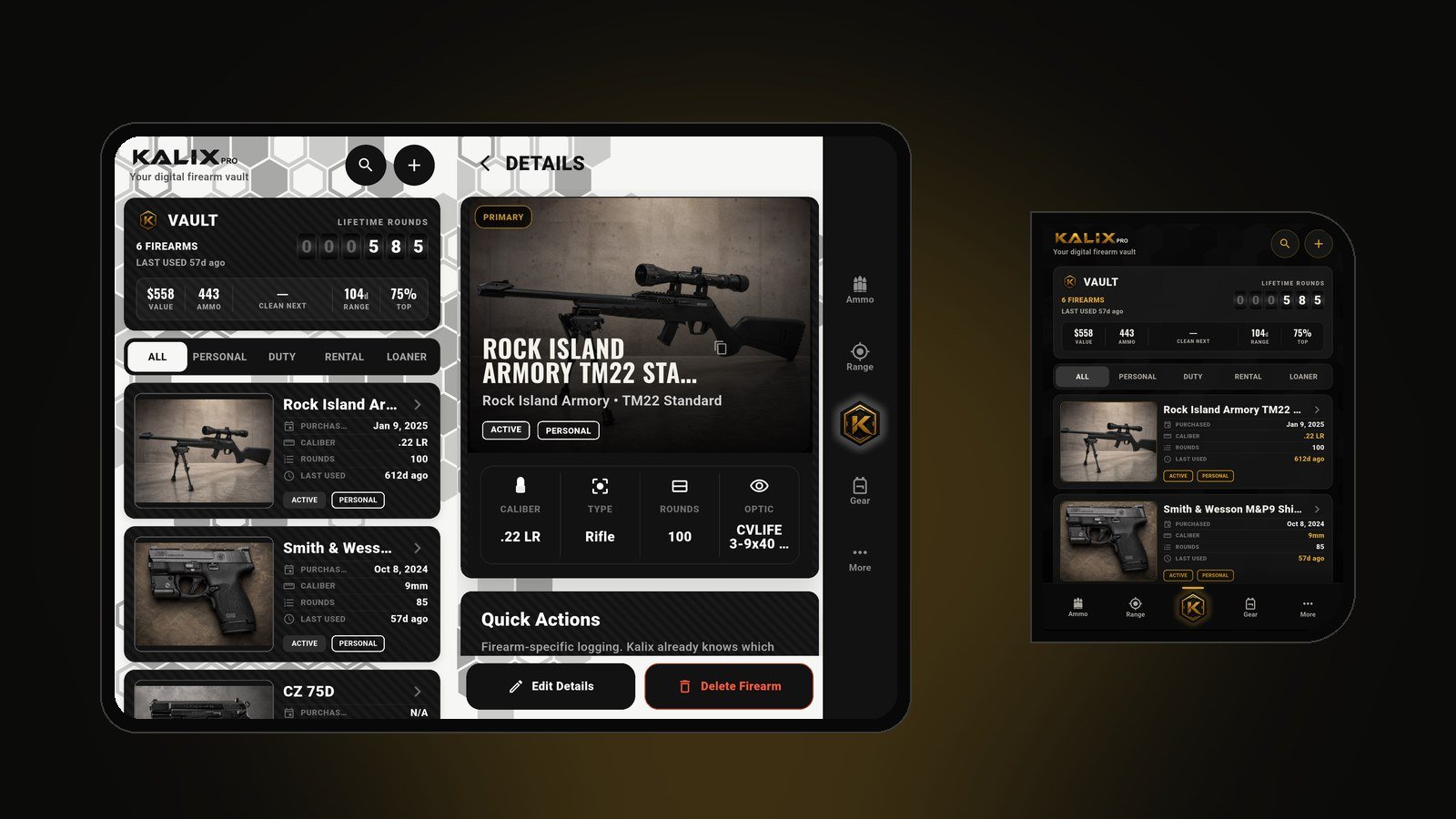
Foldable support is live. Kalix 1.9 is out now on the App Store and Google Play, and if you carry an iPhone Duo or an Android foldable like the Galaxy Z Fold, Kalix finally uses every inch of that big inner screen.
Foldables deserve better
Ask anyone who owns a foldable what bugs them most, and you'll hear the same thing: you open up that gorgeous big screen, and your apps just... stretch. Phone layouts blown up, black bars down the sides, buttons sitting right on the crease, or an app that refuses to turn sideways at all. Foldables have earned a reputation for apps that simply weren't built for them.
Kalix was. We didn't stretch the phone layout. We built a real two-pane Kalix for big screens, and kept the phone version exactly the way you already know it.
Unfold it, and Kalix opens up
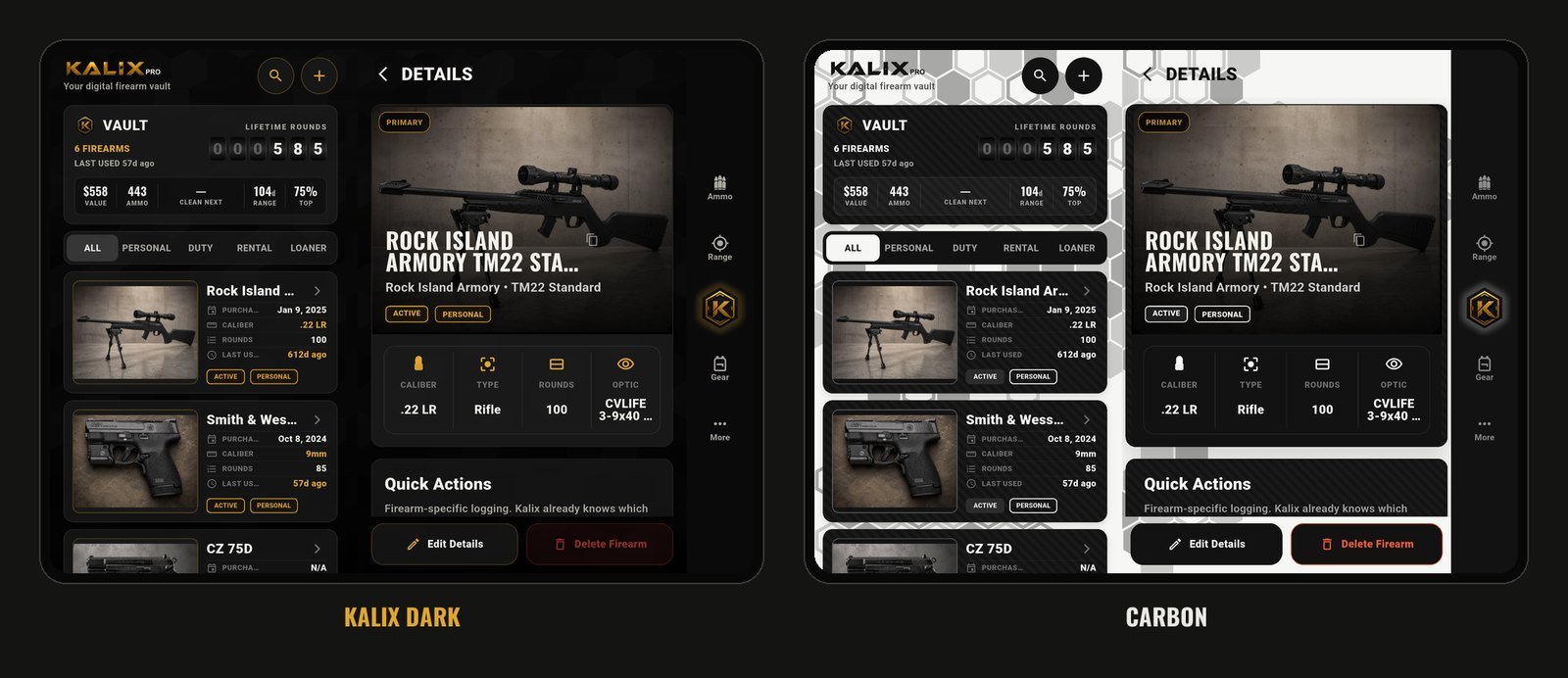
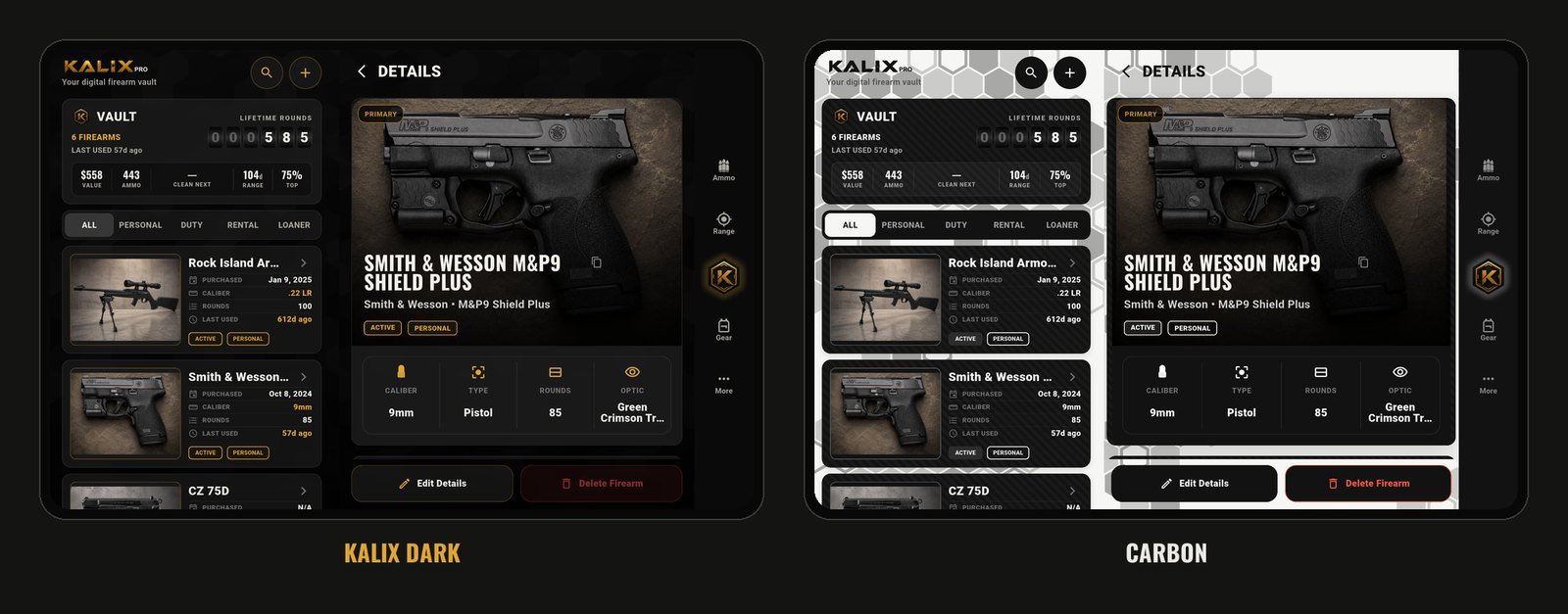
Open your foldable and your list stays on one side while whatever you tap opens on the other. Tap a firearm and its details slide in beside the Vault, so you never lose your place in the list. It works the same for ammo and range sessions.
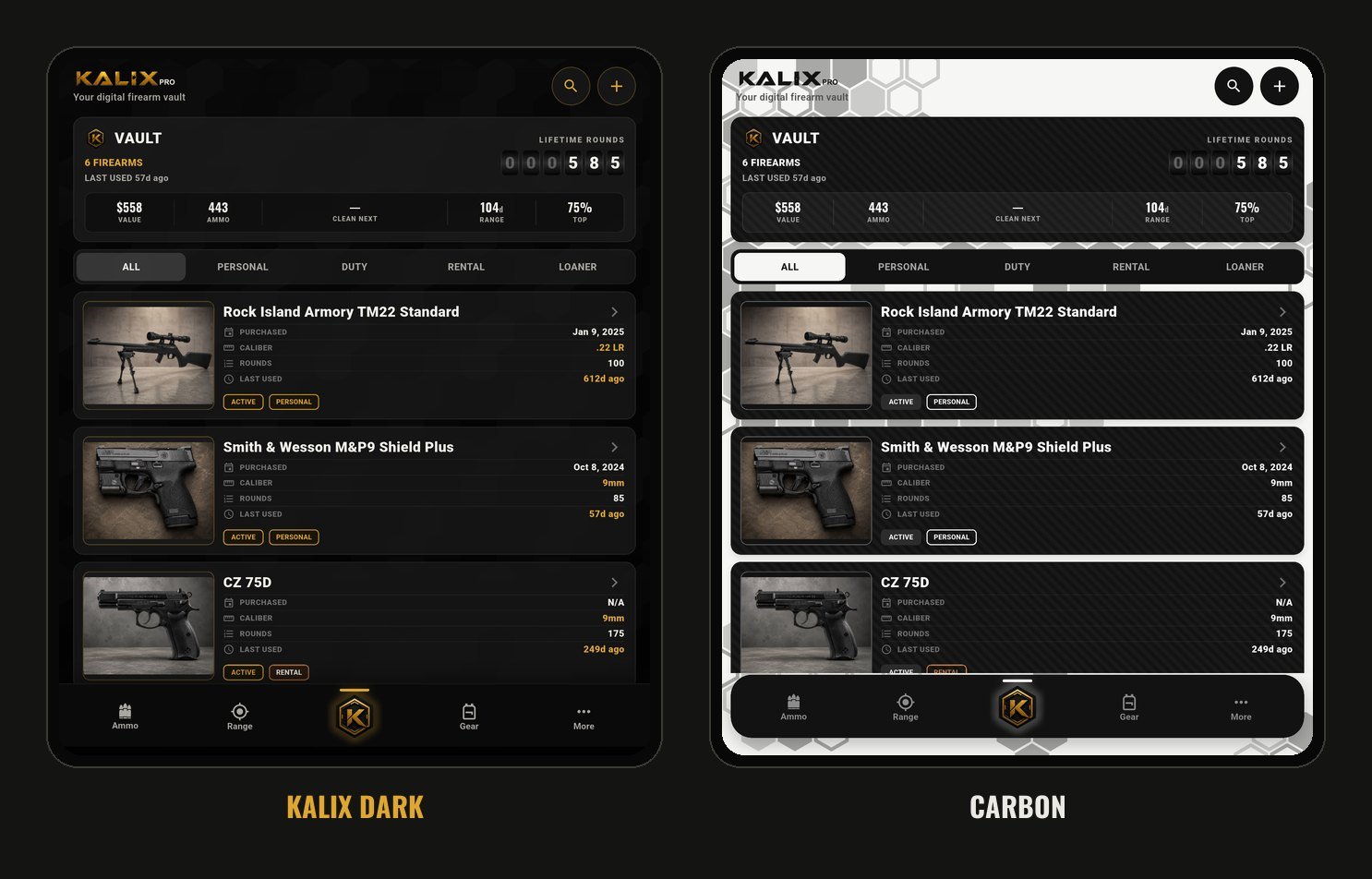
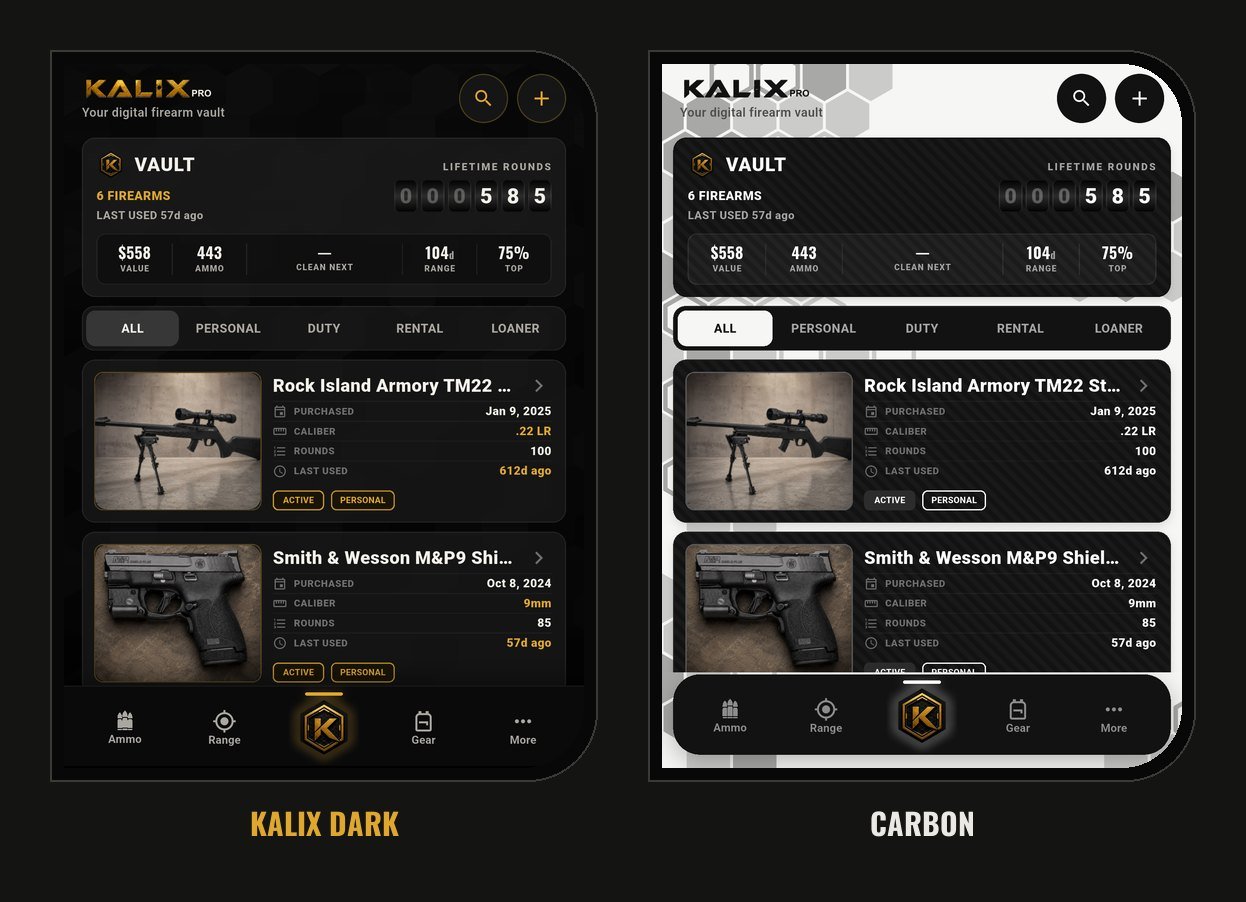
Hold it upright and Kalix gives you one roomy column, with whole photos and every stat in the new Vault card spelled out.
Built for iPhone Duo
On iPhone Duo, Kalix splits its two panes right at the fold and keeps every button off the crease. Half-open it like a laptop and the list sits on top with the details below. Close it, and it's the Kalix you already know.
A few more details we sweated:
- A side menu when it's wide. Turn your foldable sideways and the tab bar moves to the side, out of the way of your content.
- Fold-aware. When the screen is folded, Kalix knows where the crease is and splits its panes there instead of drawing across it.
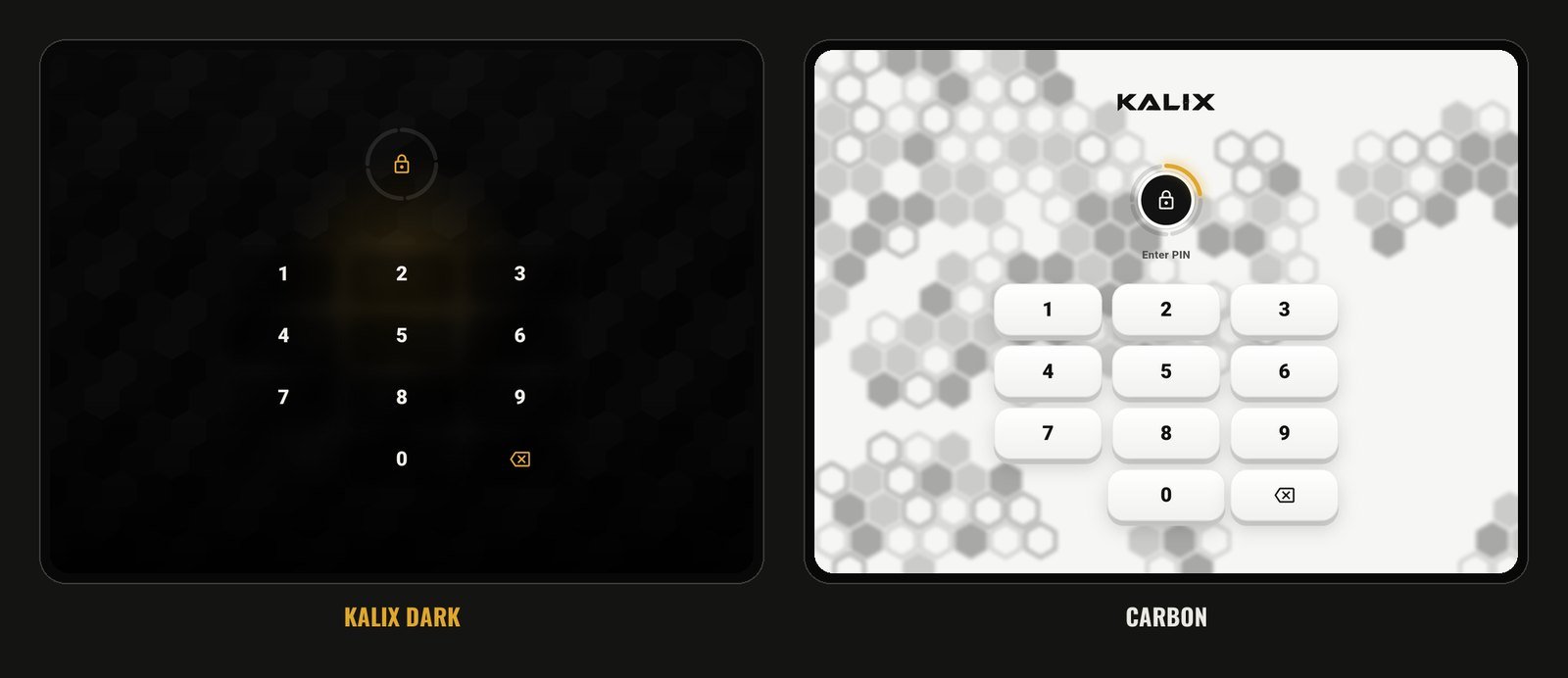
- Every theme, everywhere. Kalix Dark and Carbon both look right on the big screen, PIN lock included.
And because it's still Kalix, nothing changes about where your records live. Everything stays on your device. No account, no cloud.
Still getting better
Foldables are new territory, and we're treating this like a first chapter, not a finished one. Development for iPhone Duo and Galaxy Z Fold devices is ongoing. We're fine-tuning layouts, adding big-screen features and fixing anything you run into. If something looks off on your foldable, tell us on the Support page. Reports from real devices shape what comes next.
Also new in 1.9
Not on a foldable? There's plenty here for you too:
- A smarter Vault card. Next to the lifetime-rounds odometer you now get five quick stats: what your collection is worth, ammo on hand, the next firearm due for cleaning, days since your last range trip and your most-shot firearm. Tap the cleaning stat to jump straight to that firearm.
- Screen filters. Choose which quick filters the Vault, Ammo and Range screens show in More → Preferences. Never carry a duty firearm? Switch Duty off everywhere.
- More room on your lists. The long-press reminder cards are gone. Ammo Inventory has its own button up top, and Sold / FFL now lives inside Vault search.
- Tidier details. Alerts like "500 rds away" sit on the same line as Active and Personal. Range Insights is shorter, and list photos show the whole picture.
- Gold readiness. The readiness ring in More now glows Kalix gold in Carbon too.
Get Kalix 1.9
- Kalix on the App Store for iPhone and iPhone Duo
- Kalix on Google Play for Android phones and foldables
Already have Kalix? Just update. Your records come along untouched.
For the geeks
Curious how big-screen apps are supposed to behave? These are the official guides we built Kalix 1.9 against.
Apple, for iPhone Duo
- Prepare your app for iPhone Duo, Apple's starting point
- Preparing your app for iPhone Duo, the technical overview: postures, the fold and safe areas
- Prepare your app for iPhone Duo (Tech Talk), the video walkthrough
- Human Interface Guidelines: Layout, Apple's rules for adapting to any screen
- App Store screenshot specifications, every required screenshot size
Google, for Android foldables
- Learn about foldables, how folds, hinges and postures work
- Use window size classes, the compact, medium and expanded breakpoints
- Adaptive app quality guidelines, Google's checklist for big screens
- Play Console: preview assets, store screenshot sizes, including tablets and foldables
Kalix's own rule of thumb follows Google's: once the narrow side of the window reaches 600, Kalix switches to its big-screen layout. Below that, you get the phone layout you know.
Posted in Updates · Release · 1.9 · Foldables · iPhone Duo · Galaxy Z Fold