

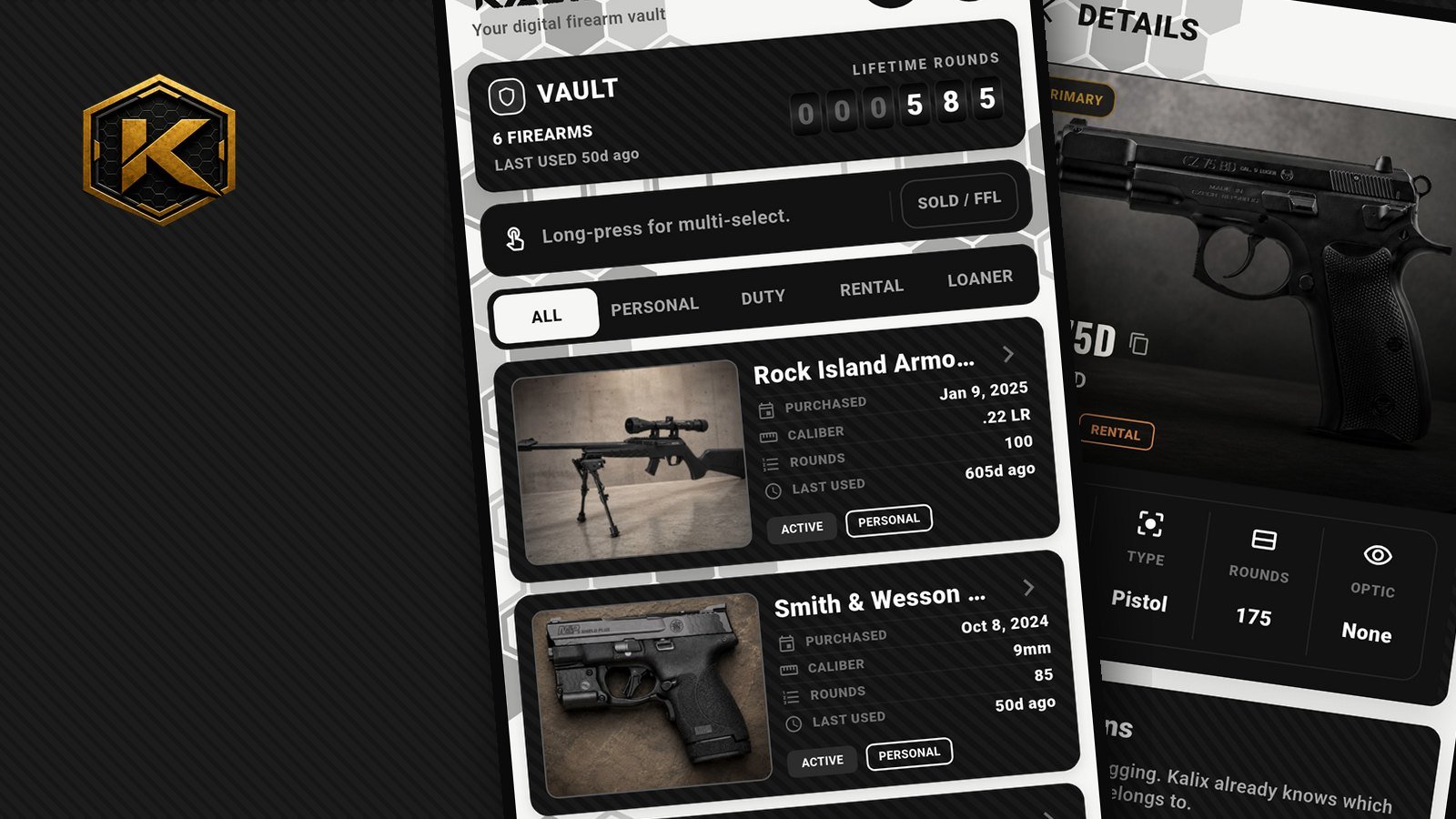
Kalix 1.8.1 is rolling out on Google Play now. It's a smaller update than 1.8, but it's packed with the kind of everyday polish you feel every time you open the app. The iPhone version follows once the current App Store review wraps up.
Swipe through your details
This one came straight from using Kalix at the bench. Before, checking three firearms meant opening one, backing out, opening the next, backing out again.
Now, once you're inside a firearm, ammo item or range trip, just swipe left or right to move to the next one. It follows the list you came from, in the same order and with the same filter, so if you're looking at your Personal firearms, you swipe through your Personal firearms. The background stays put and only the details glide across, with a light tap you can feel on each one.
Edit something along the way? No problem. Your list is up to date when you go back.
Your Vault, your filters
Not everyone has duty firearms, rentals and loaners. If all you keep is a personal collection, five filter buttons on your Vault is four too many.
Open More → Preferences → Vault filters and switch on only the ones you use: Personal, Duty, Rental or Loaner. ALL always stays. The filter bar on your Vault resizes to fit, so keep just Personal and you get a clean two-button ALL | PERSONAL bar. Turn them all off and the bar steps aside completely.
A lifetime-rounds odometer
The top of your Vault got an upgrade. Next to your firearm count and the last time you used one, there's now a little mechanical odometer with the lifetime round count of the firearms you're looking at. It rolls up when you open the Vault, and rolls again when you switch filters, so you can see your Personal total, then your Rental total, at a glance.
Carbon, polished
Carbon got a proper tune-up:
- Roomier cards. Cards now reach a little closer to the edge of the screen, so text has more breathing room inside them, and there's still a strip of the light page showing at the edges.
- Softer corners and even spacing. Every card in both themes now shares the same corners, the same inside padding and the same gap between cards. It's the kind of thing you don't notice until it's right, and now it's right everywhere.
- A glowing PIN pad. On the Carbon lock screen, the page behind the keypad softly blurs, each key lights up as you tap it, and the ring around the lock glows Kalix gold as you enter each digit.
Smoother scrolling
On Ammo and Range, the History of Scans and Insights cards now tuck away with the filter bar as you scroll down your list, giving the list more room. When you scroll back up, they wait for a deliberate pull before easing back in, so they don't pop in and out while you browse.
Fewer, better trading cards
We trimmed the trading-card lineup to the six best: Classic Foil, Vintage Sports, Holo Pro, Arctic Camo, Woodland Camo and The Range Times. Any cards you already shared in the retired styles are still safe in Your Cards.
Fixes
- The honeycomb background on the Range tab now lines up with every other tab.
- A few buttons and titles in Carbon were white on white. They're readable now.
What's next
Kalix 1.8.1 is on its way to Google Play first, with the iPhone version right behind it. As always, the Build Log has the behind-the-scenes side, and the 1.8 notes cover the big Carbon release this builds on.
Found a bug or have an idea? The Support page goes straight to the person building Kalix.
Posted in Updates · Release · 1.8.1 · Vault · Carbon